LabNotebook
Experiment Manager for Deep Learning Experiments
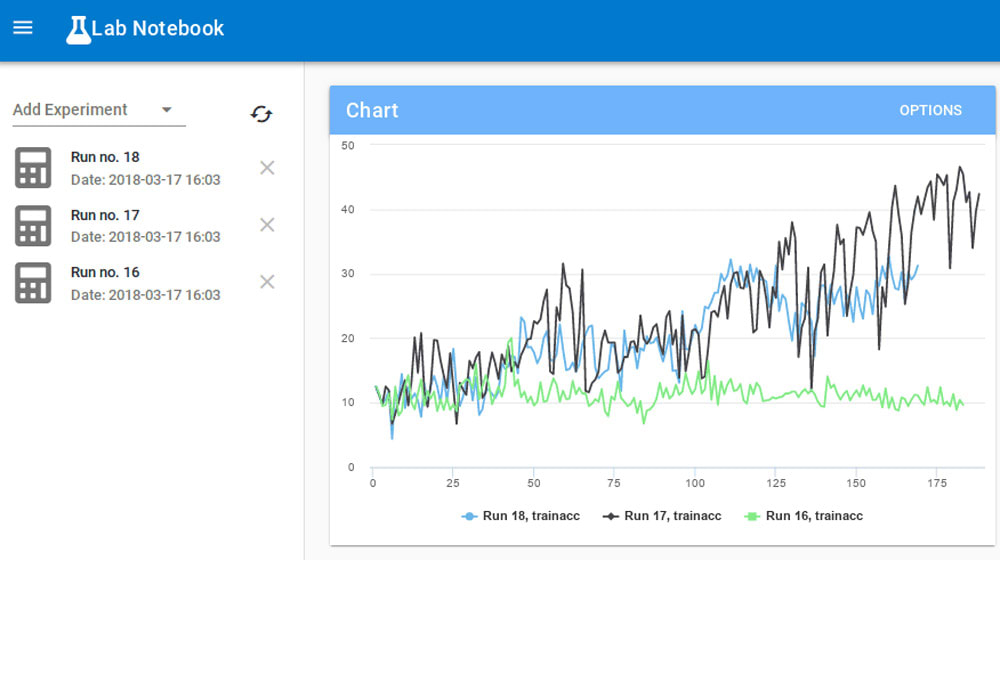
LabNotebook is a tool that allows you to flexibly monitor, record, save, and query all your machine learning experiments. It is a simple experiment manager for deep learning experiments.
Installation
Set up a postgres database:
Follow the detailed installation guides, create your database, and make a note of your database's url. It's usually of the form postgres://<username>:<password>@localhost/<databasename>.
Install labnotebook:
Clone the repository:
git clone https://github.com/henripal/labnotebook.gitEnter the directory and install labnotebook locally:
cd labnotebook
pip install .
Start the API:
Once you've installed the package, you can run the following command on your database url to start the API:
start_backend <database_url>Start the webapp:
Navigate to the frontend directory and serve it; for example using python 3's http.server:
cd frontend
python -m http.server
Then open the serving address and port, typically http://localhost:8000 if you're using the python server.