Dayspan Vuetify
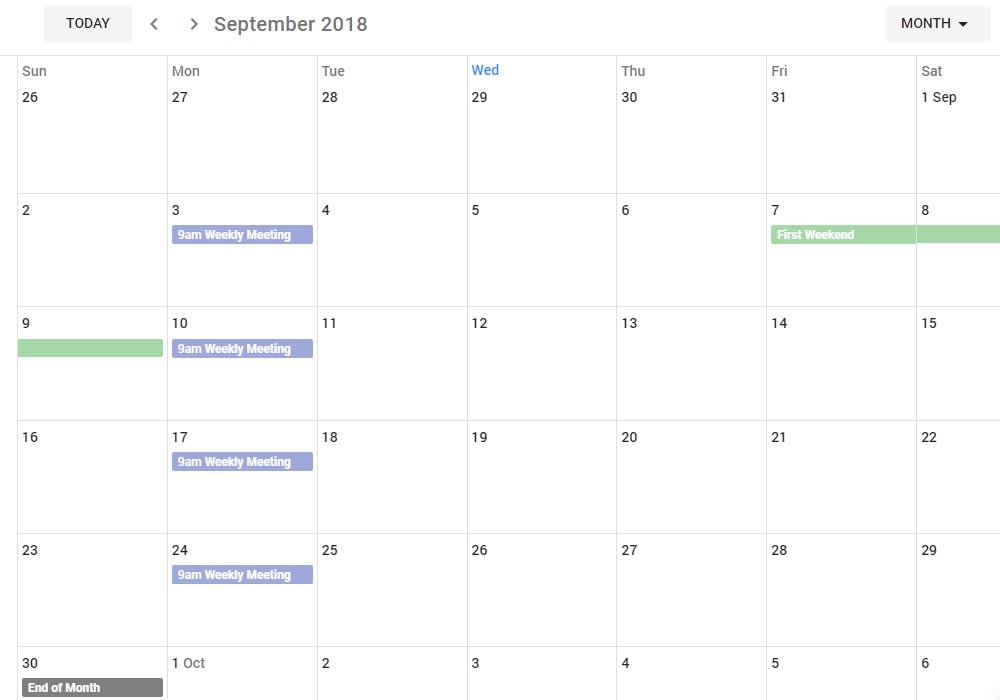
A collection of components for Schedules and Calendars in DaySpan using Vuetify
9.6K viewsAdded Jan 8, 2019
Usage
Install with npm install --save dayspan-vuetify
import DaySpanVuetify from 'dayspan-vuetify'

Vue.use( DaySpanVuetify, {
  // options is vue definition, the resulting reactive component is stored in components as this.$dayspan or Vue.$dayspan
  data: {
    // data or computed to override
  },
  computed: {
    // data or computed to override
  },
  methods: {
    // methods to override
  }
});
Example Code
app.js
import Vue from 'vue'
import Vuetify from 'vuetify'
import DaySpanVuetify from 'dayspan-vuetify'
import App from './App.vue'

import 'vuetify/dist/vuetify.min.css'
import 'material-design-icons-iconfont/dist/material-design-icons.css'
import 'dayspan-vuetify/dist/lib/dayspan-vuetify.min.css'

Vue.config.productionTip = false

Vue.use(Vuetify);

Vue.use(DaySpanVuetify, {
  methods: {
    getDefaultEventColor: () => '#1976d2'
  }
});

new Vue({
  el: '#app',
  render: h => h(App)
})
App.vue
<template>
  <v-app id="dayspan" v-cloak>
    <ds-calendar-app :calendar="calendar"></ds-calendar-app>
  </v-app>
</template>

<script>
import { Calendar } from 'dayspan';

export default {
    name: 'app',
    data: () => ({
        calendar: Calendar.months()
    })
}
</script>

<style>
body, html, #app, #dayspan {
    font-family: Roboto, sans-serif;
    width: 100%;
    height: 100%;
}
</style>