vue-chartjs
Vue.js Wrapper for Chart.js
28K viewsAdded Dec 5, 2018
VueChart
Vue.js Wrapper for Chart.js - Easy and beautiful charts with Chart.js and Vue.js.
Installation
yarn add vue-chartjs chart.js
npm install vue-chartjs chart.js --save
Or if you want to use it directly in the browser add
<script src="https://cdnjs.cloudflare.com/ajax/libs/Chart.js/2.7.1/Chart.min.js"></script>
<script src="https://unpkg.com/vue-chartjs/dist/vue-chartjs.min.js"></script>
Browser
You can use vue-chartjs directly in the browser without any build setup. You can then simply register your component:
Vue.component('line-chart', {
  extends: VueChartJs.Line,
  mounted () {
    this.renderChart({
      labels: ['January', 'February', 'March', 'April', 'May', 'June', 'July'],
      datasets: [
        {
          label: 'Data One',
          backgroundColor: '#f87979',
          data: [40, 39, 10, 40, 39, 80, 40]
        }
      ]
    }, {responsive: true, maintainAspectRatio: false})
  }
})
How to use
You need to import the component and then either use extends or mixins and add it.
You can import the whole package or modules you want to use individually.
import VueCharts from 'vue-chartjs'
import { Bar, Line } from 'vue-chartjs'
Just create your own component.
// CommitChart.js
import { Bar } from 'vue-chartjs'

export default {
  extends: Bar,
  mounted () {
    // Overwriting base render method with actual data.
    this.renderChart({
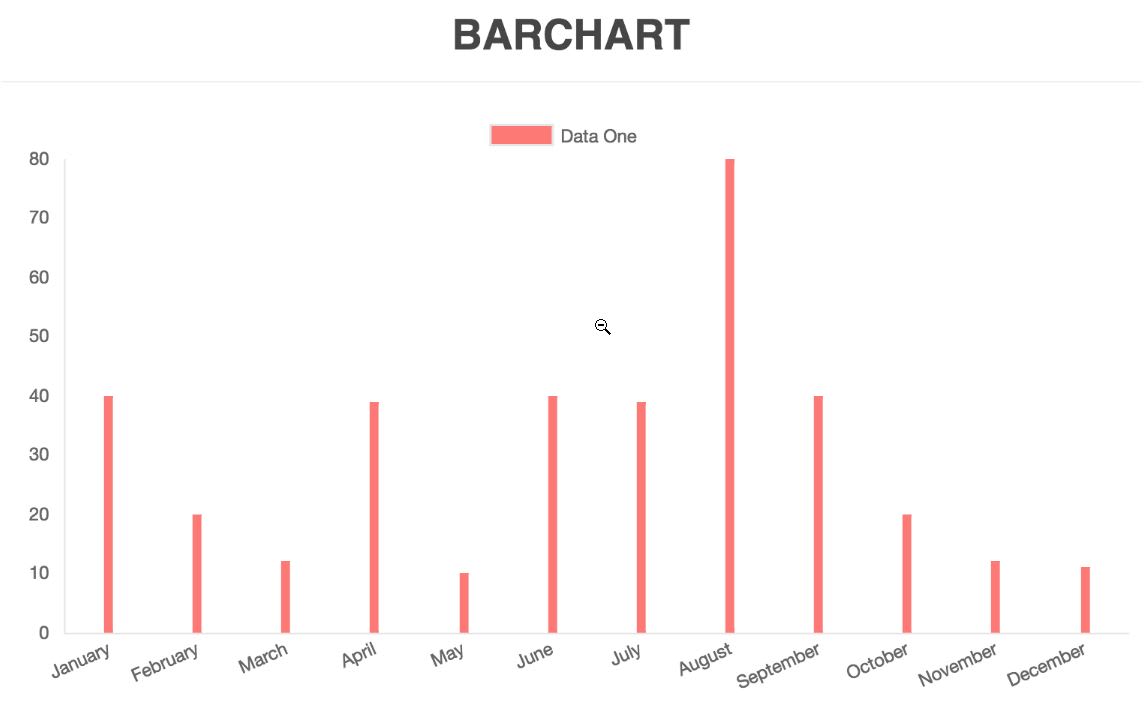
      labels: ['January', 'February', 'March', 'April', 'May', 'June', 'July', 'August', 'September', 'October', 'November', 'December'],
      datasets: [
        {
          label: 'GitHub Commits',
          backgroundColor: '#f87979',
          data: [40, 20, 12, 39, 10, 40, 39, 80, 40, 20, 12, 11]
        }
      ]
    })
  }
}
Then simply import and use your own extended component and use it like a normal vue component
import CommitChart from 'path/to/component/CommitChart'Mixins module
The mixins module is included in the VueCharts module and as a separate module. Some ways to import them:
// Load complete module with all charts
import VueCharts from 'vue-chartjs'

export default {
  extends: VueCharts.Line,
  mixins: [VueCharts.mixins.reactiveProp],
  props: ['chartData', 'options'],
  mounted () {
    this.renderChart(this.chartData, this.options)
  }
}
// Load speperate modules
import { Line, mixins } from 'vue-chartjs'
export default {
extends: Line,
mixins: [mixins.reactiveProp],
props: ['chartData', 'options'],
mounted () {
this.renderChart(this.chartData, this.options)
}
}// Load speperate modules with destructure assign
import { Line, mixins } from 'vue-chartjs'
const { reactiveProp } = mixins
export default {
extends: Line,
mixins: [reactiveProp],
props: ['chartData', 'options'],
mounted () {
this.renderChart(this.chartData, this.options)
}
}Available Charts
Bar Chart
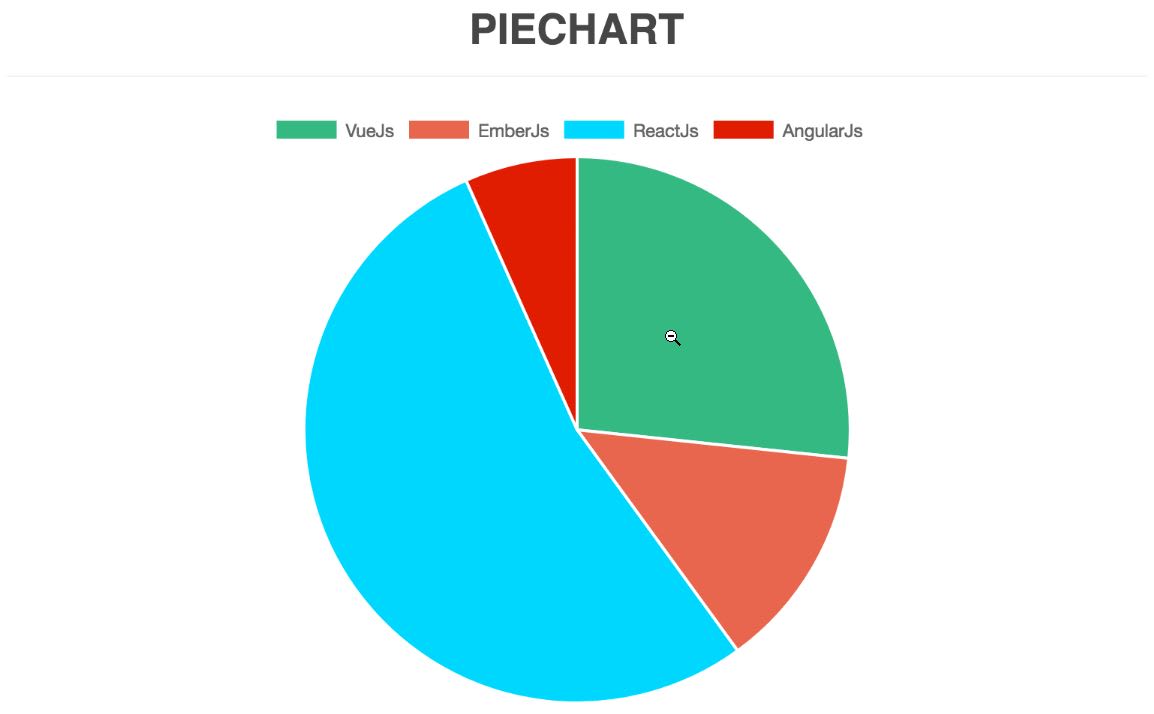
Pie Chart
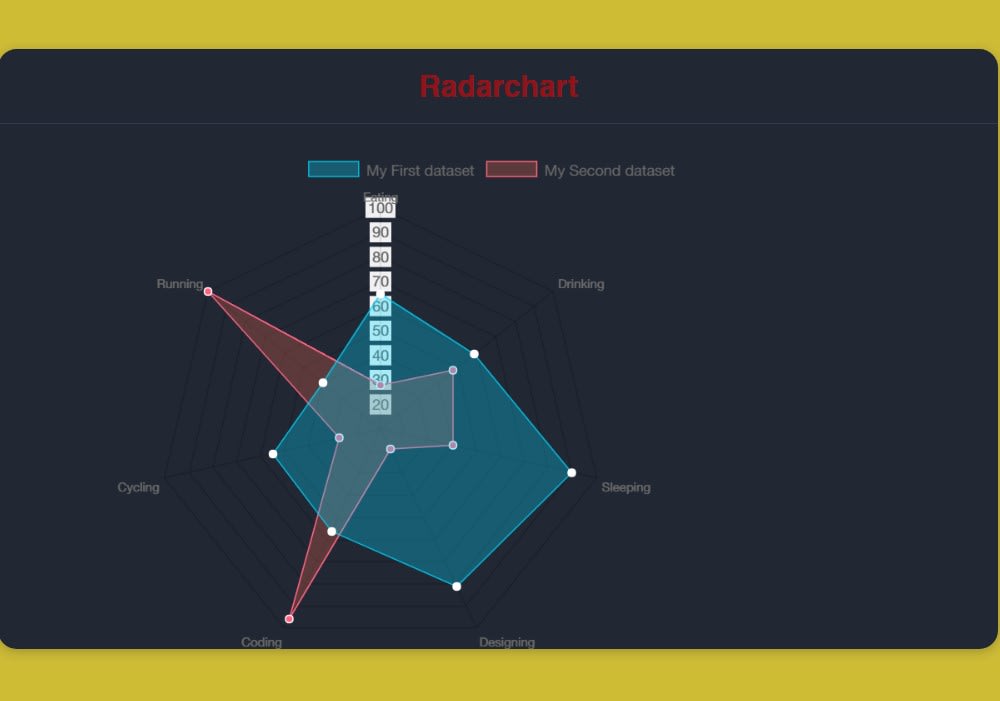
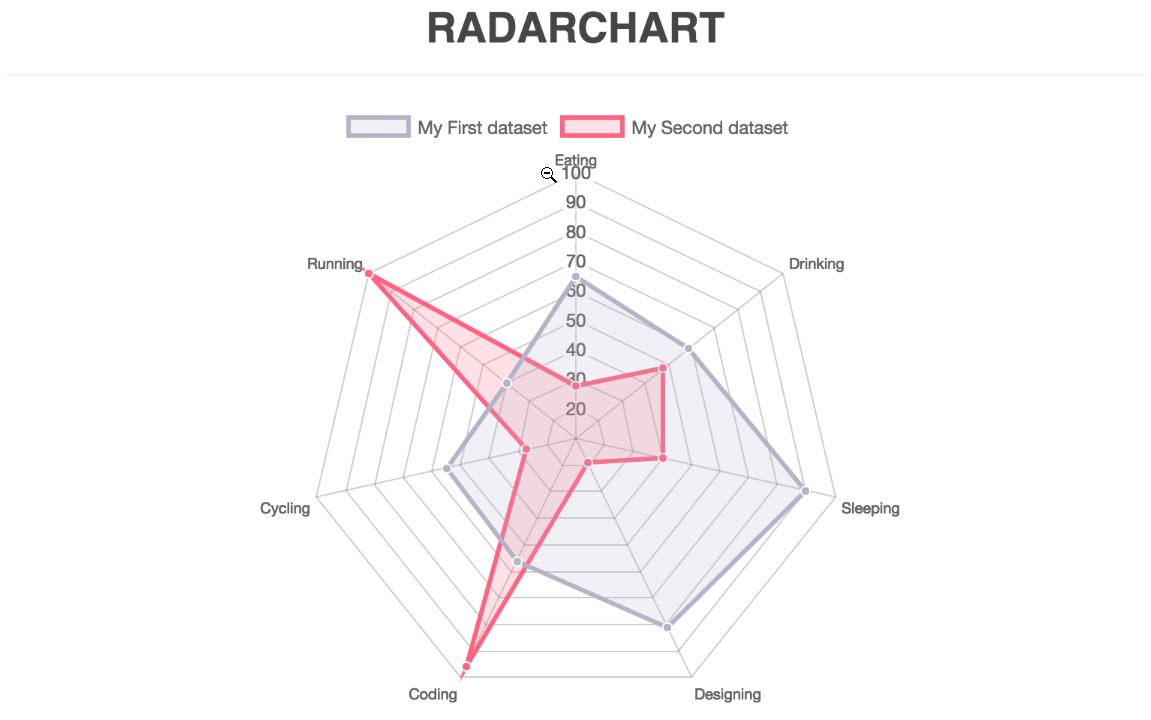
Radar Chart
Build Setup
# install dependencies
npm install

# serve with hot reload at localhost:8080
npm run dev

# build for production with minification
npm run build

# run unit tests
npm run unit

# run e2e tests
npm run e2e

# run all tests
npm test