Vue Echarts
ECharts component for Vue.js
28K viewsAdded Jan 7, 2019
ECharts component for Vue.js
Installation
npm (Recommended)
npm install vue-echartsManual
Just download dist/vue-echarts.js and include it in your HTML file:
<script src="path/to/vue-echarts/dist/vue-echarts.js"></script>Usage
ES Modules with npm & vue-loader
import Vue from 'vue'
import ECharts from 'vue-echarts/components/ECharts'

// import ECharts modules manually to reduce bundle size
import 'echarts/lib/chart/bar'
import 'echarts/lib/component/tooltip'

// If you want to use ECharts extensions, just import the extension package and it will work
// Taking ECharts-GL as an example:
// You only need to install the package with `npm install --save echarts-gl` and import it as follows
import 'echarts-gl'

// register component to use
Vue.component('v-chart', ECharts)
Using the component
<template>
<v-chart :options="polar"/>
</template>

<style>
.echarts {
    width: 100%;
    height: 100%;
}
</style>

<script>
import ECharts from 'vue-echarts/components/ECharts'
import 'echarts/lib/chart/line'
import 'echarts/lib/component/polar'

export default {
    components: {
        'v-chart': ECharts
    },
    data: function () {
        let data = []

        for (let i = 0; i <= 360; i++) {
            let t = i / 180 * Math.PI
            let r = Math.sin(2 * t) * Math.cos(2 * t)
            data.push([r, i])
        }

        return {
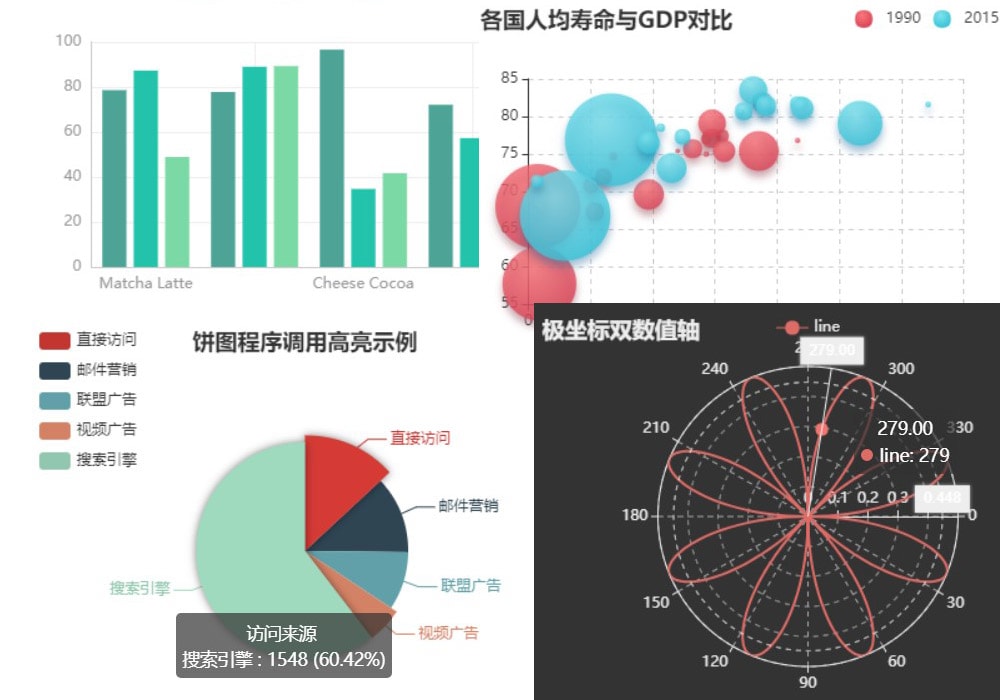
            polar: {
                title: {
                    text: '极坐标双数值轴'
                },
                legend: {
                    data: ['line']
                },
                polar: {
                    center: ['50%', '54%']
                },
                tooltip: {
                    trigger: 'axis',
                    axisPointer: {
                        type: 'cross'
                    }
                },
                angleAxis: {
                    type: 'value',
                    startAngle: 0
                },
                radiusAxis: {
                    min: 0
                },
                series: [
                    {
                        coordinateSystem: 'polar',
                        name: 'line',
                        type: 'line',
                        showSymbol: false,
                        data: data
                    }
                ],
                animationDuration: 2000
            }
        }
    }
}
</script>