Vue Google Maps
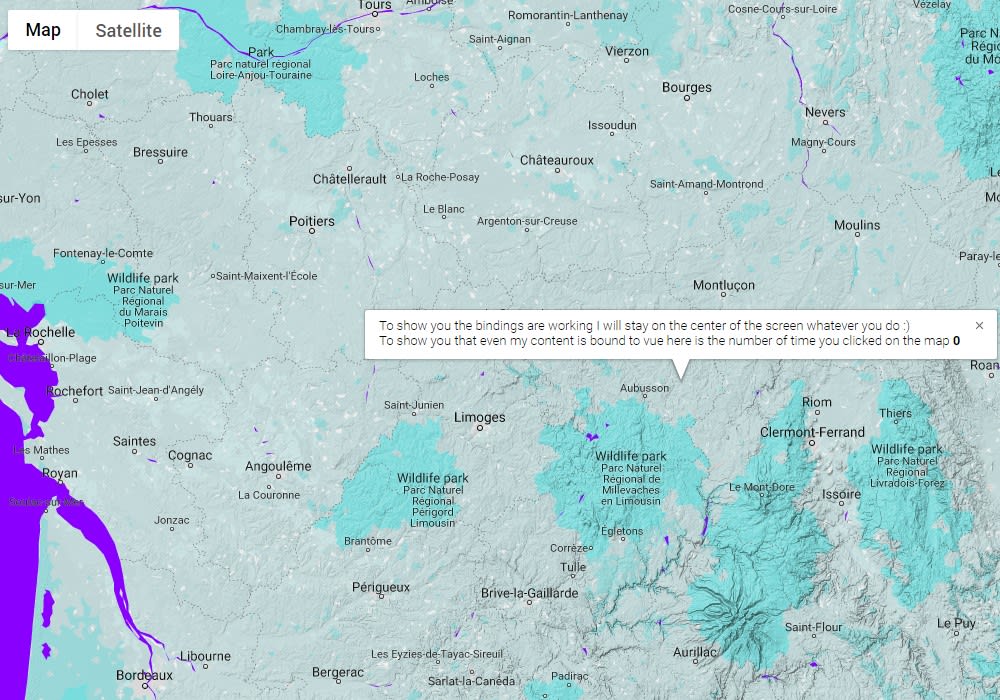
Google maps component for vue with 2-way data binding
16K viewsAdded Jan 4, 2019
Google maps component for vue with 2-way data binding
Installation
With npm (Recommended)
npm install vue2-google-mapsManually
Just download dist/vue-google-maps.js file and include it from your HTML.
Quickstart (Webpack, Nuxt):
If you are using Webpack and Vue file components, just add the following to your code!
<GmapMap
    :center="{lat:10, lng:10}"
    :zoom="7"
    map-type-id="terrain"
    style="width: 500px; height: 300px"
>
  <GmapMarker
          :key="index"
          v-for="(m, index) in markers"
          :position="m.position"
          :clickable="true"
          :draggable="true"
          @click="center=m.position"
  />
</GmapMap>
In your main.js or inside a Nuxt plugin:
import Vue from 'vue'
import * as VueGoogleMaps from 'vue2-google-maps'

Vue.use(VueGoogleMaps, {
  load: {
    key: 'YOUR_API_TOKEN',
    libraries: 'places', // This is required if you use the Autocomplete plugin
    // OR: libraries: 'places,drawing'
    // OR: libraries: 'places,drawing,visualization'
    // (as you require)

    //// If you want to set the version, you can do so:
    // v: '3.26',
  },

  //// If you intend to programmatically custom event listener code
  //// (e.g. `this.$refs.gmap.$on('zoom_changed', someFunc)`)
  //// instead of going through Vue templates (e.g. `<GmapMap @zoom_changed="someFunc">`)
  //// you might need to turn this on.
  // autobindAllEvents: false,

  //// If you want to manually install components, e.g.
  //// import {GmapMarker} from 'vue2-google-maps/src/components/marker'
  //// Vue.component('GmapMarker', GmapMarker)
  //// then disable the following:
  // installComponents: true,
})
If you need to gain access to the Map instance (e.g. to call panToBounds, panTo):
<template>
<GmapMap ref="mapRef" ...>
</GmapMap>
</template>
<script>
export default {
    mounted () {
        // At this point, the child GmapMap has been mounted, but
        // its map has not been initialized.
        // Therefore we need to write mapRef.$mapPromise.then(() => ...)

        this.$refs.mapRef.$mapPromise.then((map) => {
            map.panTo({lat: 1.38, lng: 103.80})
        })
    }
}
If you need to gain access to the google object:
<template>
  <GmapMarker ref="myMarker"
              :position="google && new google.maps.LatLng(1.38, 103.8)" />
</template>
<script>
import {gmapApi} from 'vue2-google-maps'

export default {
    computed: {
        google: gmapApi
    }
}
</script>