Vue Stepper
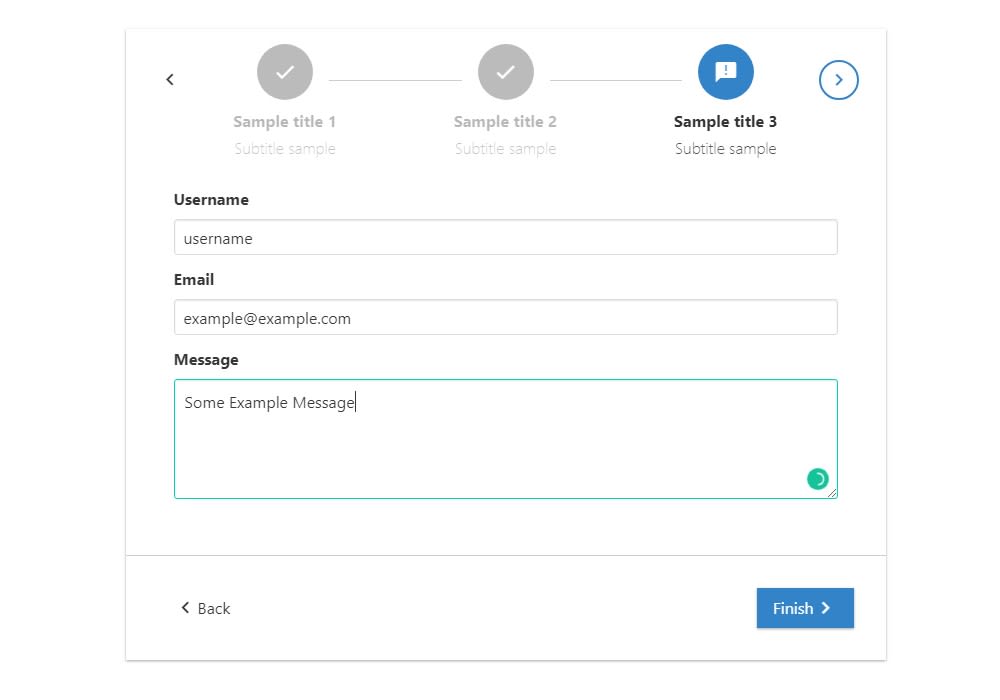
A stepper with actions such as next, back and end to perform simple forms
14K viewsAdded Jan 20, 2019
Installation
Installation
npm install vue-stepper --saveExamples
Template example
<section class="section">
    <div class="container">
        <div class="columns">
            <div class="column is-8 is-offset-2">
                <horizontal-stepper :steps="demoSteps" @completed-step="completeStep"
                                    @active-step="isStepActive" @stepper-finished="alert"
                >
                </horizontal-stepper>
            </div>
        </div>
    </div>
</section>
Script example
import HorizontalStepper from 'vue-stepper';

// This components will have the content for each stepper step.
import StepOne from './StepOne.vue';
import StepTwo from './StepTwo.vue';

export default {
    components: {
        HorizontalStepper
    },
    data(){
        return {
            demoSteps: [
                {
                    icon: 'mail',
                    name: 'first',
                    title: 'Sample title 1',
                    subtitle: 'Subtitle sample',
                    component: StepOne,
                    completed: false

                },
                {
                    icon: 'report_problem',
                    name: 'second',
                    title: 'Sample title 2',
                    subtitle: 'Subtitle sample',
                    component: StepTwo,
                    completed: false
                }
            ]
        }
    },
    methods: {
        // Executed when @completed-step event is triggered
        completeStep(payload) {
            this.demoSteps.forEach((step) => {
                if (step.name === payload.name) {
                    step.completed = true;
                }
            })
        },
        // Executed when @active-step event is triggered
        isStepActive(payload) {
            this.demoSteps.forEach((step) => {
                if (step.name === payload.name) {
                    if(step.completed === true) {
                        step.completed = false;
                    }
                }
            })
        },
        // Executed when @stepper-finished event is triggered
        alert(payload) {
            alert('end')
        }
    }
}