VueTyper: Component to Simulate User Typing
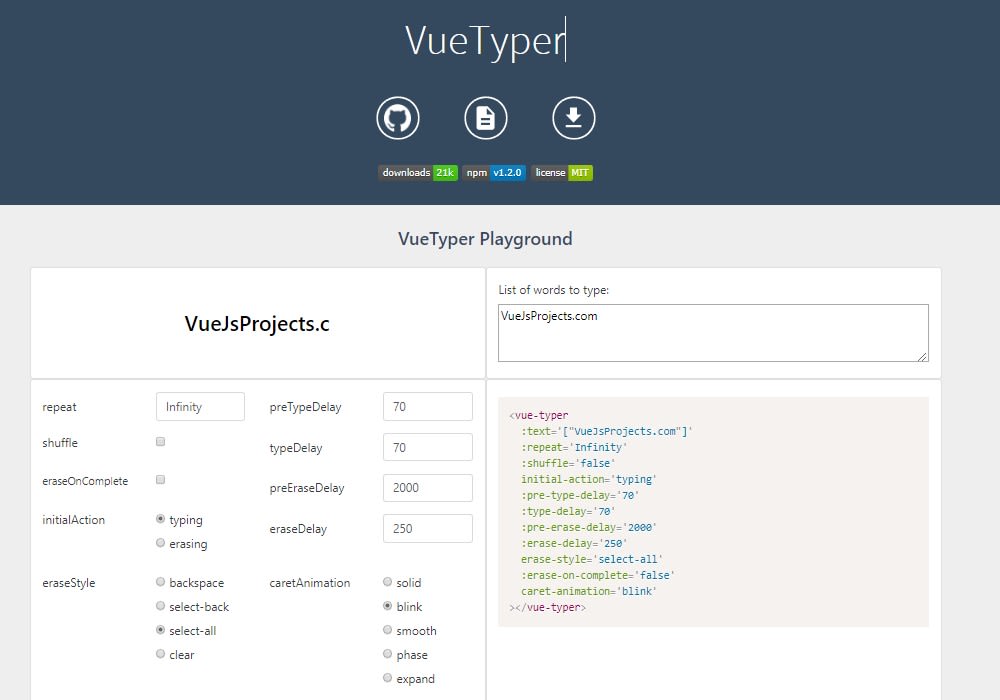
Vue component that simulates a user typing, selecting, and erasing text
Vue Typer
Vue component that simulates a user typing, selecting, and erasing text.
VueTyper has a single dependency to lodash.split to support emojis and other multi-codepoint Unicode characters. Apart from this, VueTyper does not have any direct dependencies to any other library or framework -- not even to Vue itself! All required Vue API calls are made through Vue's this.$* context methods. This means VueTyper can only execute within a Vue application context, but in exchange, it does not need to pull in Vue, which keeps VueTyper lightweight.
Installation
npm
npm install --save vue-typerCDN
<script src="https://unpkg.com/vue-typer/dist/vue-typer.min.js"></script>Usage
After installing VueTyper, you may choose to register it either globally or locally.
Local Registration
Import the VueTyper component directly from your Vue component file:
// ES6
import { VueTyper } from 'vue-typer'
// CommonJS
var VueTyper = require('vue-typer').VueTyper
// Global
var VueTyper = window.VueTyper.VueTyper
Register it as a local component in your Vue component options:
var MyComponent = {
  // ...
  components: {
    // ES6; property shorthand + Vue should automatically dasherize the key for us
    VueTyper
    // pre-ES6
    'vue-typer': VueTyper
  }
}
Use vue-typer in your Vue component's template:
Global Registration
Import the VueTyper plugin in your application entry point:
// ES6
import VueTyperPlugin from 'vue-typer'
// CommonJS
var VueTyperPlugin = require('vue-typer').default
// Global
var VueTyperPlugin = window.VueTyper.default
Register the VueTyper plugin with Vue
Vue.use(VueTyperPlugin)Now you can freely use vue-typer in any Vue component template:
Styles
To keep the separation of concern between component code and styles, VueTyper can be fully styled through CSS (as opposed to props).
/* SCSS */
.vue-typer {
  /* Styles for the vue-typer container
     e.g. font-family, font-size  */

  .custom.char {
    /* Styles for each character
       e.g. color, background-color */

    &.typed {
      /* Styles specific to typed characters
         i.e. characters to the left of the caret */
    }
    &.selected {
      /* Styles specific to selected characters
         i.e. characters to the right of the caret while VueTyper's
              'eraseStyle' is set to a selection-based style */
    }
    &.erased {
      /* Styles specific to erased characters
         i.e. characters to the right of the caret while VueTyper's
              'eraseStyle' is set to a non-selection-based style */
    }
  }

  .custom.caret {
    /* Styles for the caret
       e.g. background-color, animation, display */

    &.pre-type {
      /* Styles for the caret when it is idle before typing
         i.e. before a string starts being typed, during 'preTypeDelay' */
    }
    &.pre-erase {
      /* Styles for the caret when it is idle before erasing
         i.e. before a string starts being erased, during 'preEraseDelay' */
    }
    &.idle {
      /* Styles for the caret when it is idle, but VueTyper has not yet completed typing
         i.e. when 'pre-type' or 'pre-erase' is set, but not 'complete' */
    }
    &.typing {
      /* Styles for the caret while VueTyper is typing
         i.e. when the caret is moving forwards */
    }
    &.selecting {
      /* Styles for the caret while VueTyper is selecting
         i.e. when the caret is moving backwards and 'eraseStyle' is
         set to a selection-based style */
    }
    &.erasing {
      /* Styles for the caret while VueTyper is erasing
         i.e. when the caret is moving backwards and 'eraseStyle' is
         set to a non-selection-based style */
    }
    &.complete {
      /* Styles for the idle caret when VueTyper has finished all typing/erasing */
    }
  }
}